
Spreadsheet mail merge
Use Excel (.xlsx, .xls) or CSV files directly. Every row becomes its own label, card or page, with fields merged into text, barcodes and QR codes.
Variable data printing software
VariPose turns a single template and a spreadsheet into print-ready sheets of labels, cards, tickets and mailers, with barcodes, QR codes and cut marks placed for you.
$650 one-time purchase · Try it before you buy

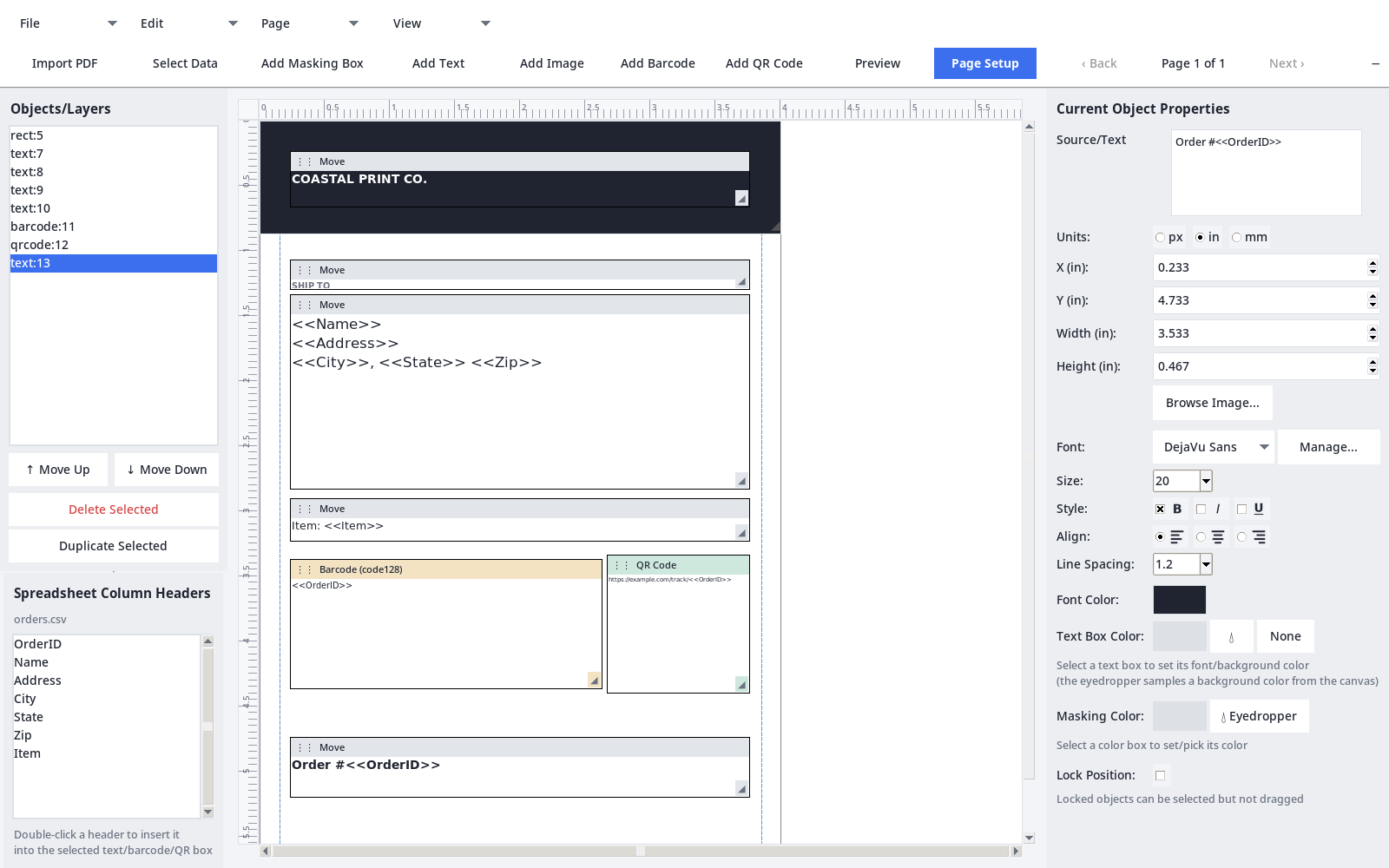
If you can lay out a page and keep a spreadsheet, you can run a variable data job.
Built for the work print shops actually do, without paying for an enterprise suite.
Use Excel (.xlsx, .xls) or CSV files directly. Every row becomes its own label, card or page, with fields merged into text, barcodes and QR codes.
Code 128, Code 39, EAN-13, EAN-8, UPC-A and QR codes, generated fresh for every row. USPS Intelligent Mail barcode fonts are included.
Tile copies in a rows-by-columns grid or let VariPose arrange them. Set gutters, margins and exact tile sizes, and add cut marks at every corner.
Put a different row on each tile, mirror alternate pages so fronts and backs line up, and use stack-cut order so each pile comes off the cutter already in sequence.
Import PDF pages as backgrounds, place images, and add your own fonts. Masking boxes let you cover parts of existing artwork with new content.
Rulers, drag-out guides with snapping, bleed and margin guides, and measurements in inches, millimeters or pixels. Letter, Legal, Tabloid, A3 to A5 or any custom size, up to 300 DPI.
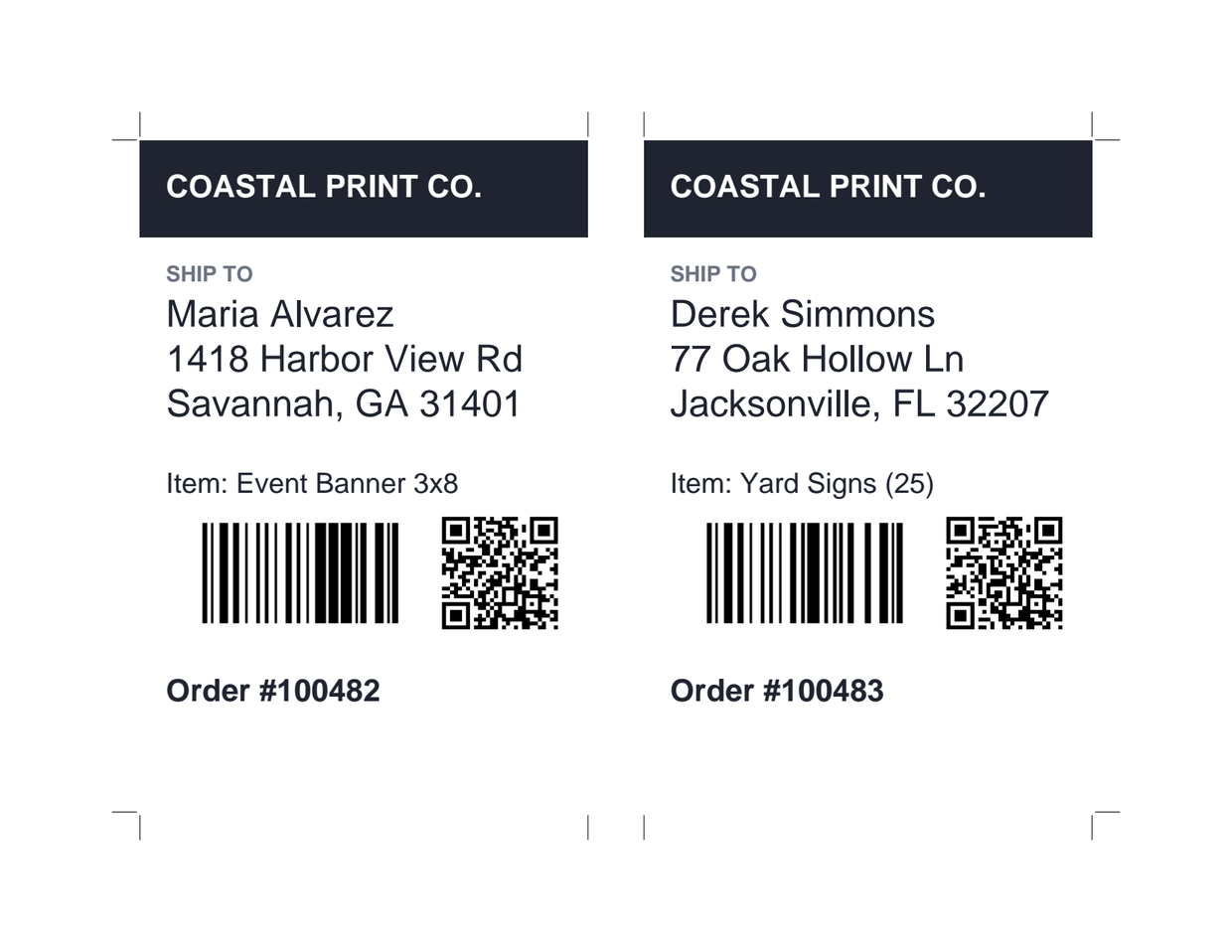
This sheet came from the template above and a three-row spreadsheet. Each label got its own name, address, item, barcode and QR code. VariPose placed two labels per sheet and added the cut marks.
Preview before you commit, page through the result, and export a print-ready PDF for any printer or RIP. Templates save as reusable files, so the next run takes only a new spreadsheet.
Print shops, marketing agencies and in-house print rooms use variable data for jobs like these:
Pricing
$650 one-time purchase
Setting up several workstations? Contact us about multiple seats.
Coming soon
We are building VariFlow, a job tracker and client proofing portal for print shops. Track every job on a board from quote to shipped, send clients a link to review and approve PDF proofs, and keep quotes, versions and comments in one place.
Excel workbooks (.xlsx and .xls) and CSV files. If a workbook has more than one sheet, VariPose asks which one holds your data.
Yes. Without data, merge fields stay as written and the template prints as-is, still using your N-up layout and cut marks.
Yes. Import a page from a PDF, place it on the template, and add text, barcodes or masking boxes on top.
VariPose produces a print-ready PDF of every sheet, which you can preview and then send to any printer or print workflow.
VariPose runs on Windows and Linux. There is no Mac version. Any computer that runs a modern version of either system will do.
Yes. Request a trial and we will send it to you.
Request a free trial and run it on real work before you buy.
Request a Free Trial